
MON - FRI 8AM - 5PM

Top 10 Cloud Intercom Systems for Businesses in 2026

A front door is no longer just a buzzer beside a glass entrance. In 2026, a Cloud Intercom system may connect lobby panels, mobile apps, cameras, and remote staff across several locations. The right choice can make deliveries easier to manage and visitor access more visible. The wrong fit can leave staff juggling alerts, unclear permissions, or another app they rarely use.

Communication engineer Claude Shannon described a lasting challenge: “The fundamental problem of communication is that of reproducing at one point either exactly or approximately a message selected at another point.” His insight offers a useful lens for evaluating connected entry systems: messages and access decisions need to reach the right people clearly. This guide compares ten Cloud Intercom options for businesses, considering setup, everyday usability, integrations, administration, and support. Look closely at how each system handles a busy Monday morning, a missed call, or a delivery after hours. Small details matter. So do network requirements, privacy controls, and the effort needed to manage staff changes. Features and pricing can vary by plan and region, so confirm current terms with each provider. No ranking is perfect. A polished dashboard may still feel awkward at a real reception desk. Use this shortlist as a starting point, then match the system to your building, team, and visitor patterns.
Top 10 Cloud Intercom Systems for Businesses in 2026

Cloud Intercoms in 2026: Definition, Scope, and Core Business Uses

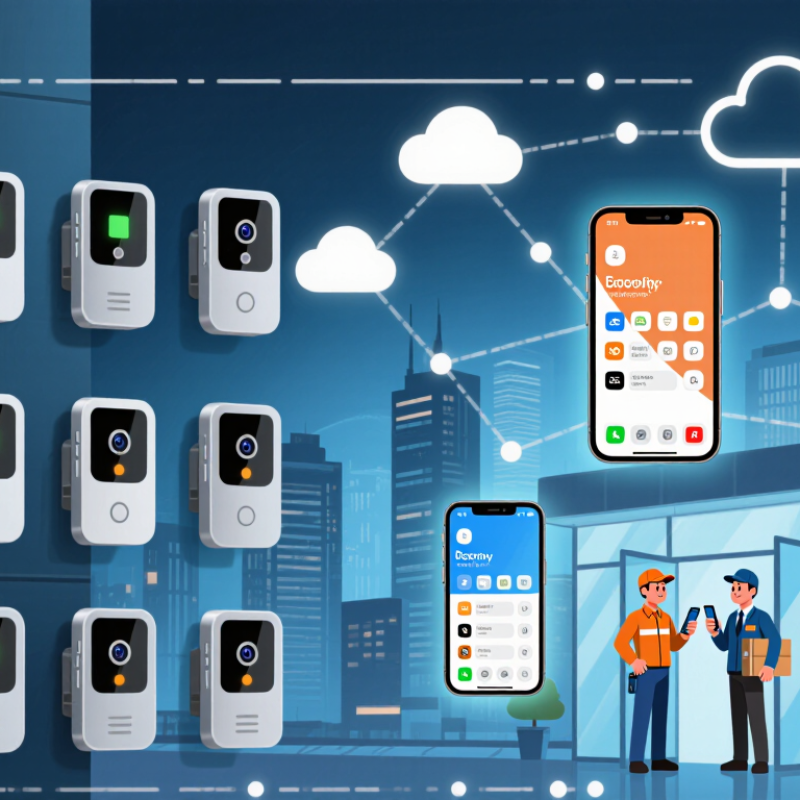
Cloud intercoms use internet-connected door stations, microphones, cameras, and hosted software to route visitor calls to staff phones or computers. Businesses can answer remotely, manage multiple entrances, and review access events from one dashboard. Some systems also connect with door controls, directories, and video security tools. The term is broad; not every cloud intercom includes the same features or storage options.

The business case sits within a wider shift to hosted services. Gartner forecast worldwide public-cloud spending would reach $723.4 billion in 2025, up 21.5% from 2024. That figure covers cloud services broadly, not intercoms specifically, but it shows the scale of the infrastructure many businesses now rely on.

Common uses include screening visitors at reception, coordinating deliveries, and answering calls across remote offices. A cloud service can simplify administration, though poor network coverage may still interrupt a call. The boundary between convenience and security is not always neat.

Tips: Test call quality at each entrance, including during busy network periods. Check who can view recordings, how long they are retained, and what happens during an internet outage. Keep a fallback process. A phone number or staffed desk can matter when the system fails.

2025 Cloud Market Context: Gartner Forecasts $723.4B in Spending, Up 21.5%

Gartner forecast worldwide end-user spending on public cloud services to reach $723.4 billion in 2025, a 21.5% increase from 2024. This is a forecast, not a final spending tally. Still, it signals how quickly businesses are moving essential services into cloud environments. For cloud intercom systems, that shift can mean easier access across offices, remote support, and less equipment humming in a back room. The trade-off is that everyday reliability depends on more than the software.

A receptionist needs clear audio at 8:03 a.m., not just a polished dashboard. Network delays, weak Wi-Fi, and awkward directory updates can turn a simple call into a frustrating exchange. That is real momentum. It is not a guarantee of a smooth rollout. Gartner’s market outlook gives decision-makers useful context, but it does not measure intercom performance specifically. Buyers should also test call quality under busy network conditions, check how user access is managed, and confirm that the system connects with existing business tools. A pilot in one office can expose gaps before a company moves every entrance and reception desk to the cloud. Some issues only show up on Monday morning.

How to Evaluate Systems: SIP/VoIP, Security, Reliability, Integrations, and Cost

For a 2026 cloud intercom shortlist, test real call paths—not just a feature sheet. Confirm SIP compatibility with existing desk phones, door stations, and network equipment. Check audio quality during congestion, call latency, and what happens when internet service drops. Ask how the system protects signaling and voice traffic, supports multifactor authentication, and records administrator activity. A polished demo is useful, but it cannot prove dependable performance at a busy entrance.

Reliability deserves a hard look. Uptime Institute’s 2024 outage analysis found that 54% of surveyed organizations’ most significant recent outages cost more than $100,000. That figure is not specific to intercoms, but it shows why failover plans and support response times matter. The 2024 Data Breach Investigations Report found a human element in 68% of breaches. Review access permissions, staff training, and audit logs alongside encryption. Then test integrations with access control, video, and visitor-management tools. Integration claims can hide extra licensing or setup work. Compare total cost, including devices, installation, connectivity, support, and renewal increases.

Tips: Request a pilot at the actual entry point. Test peak-hour calls, a network outage, and a staff handoff. Write down what failed; the awkward details often reveal more than the sales demo.

Top 10 Cloud Intercom Systems for 2026: Features, Pricing, and Best-Fit Use Cases

A practical 2026 shortlist should compare ten use cases: video-first apartment entries, mobile-credential systems, staffed reception consoles, phone-system integrations, access-control bundles, wireless retrofits, weatherproof gates, multi-site deployments, privacy-focused installations, and single-door offices. Useful features include two-way audio, call forwarding, visitor logs, remote unlocking, and backup connectivity. Gartner forecast public-cloud spending would reach $723.4 billion in 2025, up 21.5% year over year. That wider shift supports cloud adoption, but it does not prove every building needs cloud intercom.

Pricing depends on whether vendors charge per door, user, or site. Hardware, cloud recording, integrations, support, and cellular backup can add separate costs. Compare three-year ownership costs, not just the monthly subscription. Small offices differ. A single entrance may need only clear audio and mobile answering; a residential tower may require directory search, access permissions, and audit trails. MarketsandMarkets estimated the physical-security market would grow from $120.6 billion in 2023 to $173.6 billion by 2028, reflecting broader investment—not intercom sales alone. A feature matrix still misses hallway noise, weak reception, and confusing visitor workflows. Test those in the actual entryway before choosing.

Top 10 Cloud Intercom System Types for Businesses in 2026: Features, Pricing, and Best-Fit Use Cases

Pricing below is an indicative market estimate in USD, not a quote from a specific provider. Subscription costs are generally per entry or door per month; hardware and installation are typically separate. Actual costs vary with site conditions, scale, service terms, and required integrations.

System Type Core Features Indicative Cloud Fee Typical Hardware and Installation Connectivity and Integration Best-Fit Use Case Key Consideration
Cloud Video Intercom Two-way audio, live video, remote door release, visitor call handling, and event history. $20–$60 per entry/month About $800–$2,500 per entry, installed Usually Ethernet or Wi-Fi; may connect to mobile apps and common access-control platforms. Offices, clinics, and customer-facing premises that need visual visitor verification. Check network quality, camera coverage, recording options, and data-retention terms.
Mobile-Credential Intercom App-based visitor calls, smartphone unlock, digital credentials, and remote permissions. $15–$50 per entry/month About $600–$2,000 per entry, installed Typically IP-connected; may use Bluetooth or NFC at the reader and integrate with access-control software. Businesses with mobile workforces, shared offices, or frequent changes to staff and visitor access. Provide an alternative entry method for visitors or employees who cannot use a smartphone.
SIP-Based Cloud Intercom Audio calling over IP, call routing, directory dialing, and support for compatible desk phones or softphones. $10–$35 per entry/month About $400–$1,500 per entry, installed Uses IP networks and Session Initiation Protocol (SIP); compatibility depends on the phone system and configuration. Businesses with an existing VoIP phone system looking to add door calling without a full video setup. Confirm SIP compatibility, firewall requirements, and emergency-call behavior before deployment.
Multi-Tenant Directory Intercom Searchable tenant or department directory, call forwarding, visitor instructions, and managed access permissions. $25–$75 per entry/month About $1,000–$3,500 per entry, installed Usually Ethernet or cellular; often supports property-management and access-control integrations. Multi-tenant offices, business centers, and buildings with a large or frequently changing directory. Directory accuracy and clear responsibility for updating tenant details are essential.
Access-Control-Integrated Intercom Visitor verification linked to door schedules, credential management, access events, and operator workflows. $25–$80 per entry/month About $1,200–$4,000 per entry, installed IP-connected; integration depth varies by controller, reader, and access-control system. Organizations that want intercom events and door permissions managed through a unified security workflow. Verify that the intercom, controller, and door hardware are compatible before purchasing.
Cellular Cloud Intercom Remote calling and access management over a cellular connection, with reduced dependence on site broadband. $20–$60 per entry/month, sometimes including connectivity About $700–$2,500 per entry, installed Uses a supported cellular network; some installations also provide Ethernet or Wi-Fi backup. Gates, outbuildings, temporary sites, or entrances where wired internet is unavailable or impractical. Check local cellular coverage, data allowances, and backup-power requirements.
Receptionist or Call-Routing Intercom Routes visitor calls to reception teams, departments, or on-call staff; may include schedules and call queues. $15–$50 per entry/month About $500–$2,000 per entry, installed Typically IP-connected, with forwarding to business phones or approved mobile devices. Small and midsize businesses that need visitors to reach the right person without a staffed lobby. Define after-hours routing and fallback contacts so visitor calls are not left unanswered.
Wireless or Low-Disruption Intercom Cloud-managed visitor calling with wireless links or simplified cabling for selected site layouts. $15–$45 per entry/month About $500–$2,000 per entry, installed May use Wi-Fi, cellular, or a dedicated wireless bridge; availability depends on the system design. Leased premises, retrofit projects, and smaller sites where running new cable is difficult. Test signal strength and interference at the actual entry point; wireless does not eliminate power needs.
High-Security Cloud Intercom Video verification, role-based operator access, detailed audit logs, and configurable approval workflows. $40–$120 per entry/month About $2,000–$7,000 per entry, installed Typically uses managed IP networks and may integrate with monitoring, access-control, and security systems. Facilities with controlled visitor access, formal audit requirements, or elevated security needs. Review identity controls, encryption, audit retention, redundancy, and the provider’s security documentation.
Hybrid Cloud and On-Site Intercom Cloud administration with local calling or access functions designed to continue during an internet outage. $20–$70 per entry/month About $1,000–$4,000 per entry, installed Uses an IP network and local equipment; cloud and offline capabilities vary by system configuration. Businesses that need centralized management but also require selected on-site functions to remain available offline. Ask which functions continue during outages and how local events sync after connectivity returns.

Choosing a System by Business Size, Deployment Needs, and Compliance Requirements

Choosing a cloud intercom starts with the building, not the feature list. A six-person office may need clear audio, mobile answering, and a simple visitor log. A multi-site warehouse may need centralized administration, local fallback during outages, and role-based access. Fit matters. A 12-door clinic and a 12-door workshop can have very different visitor flows. Walk the entry points at busy times before comparing systems.

Deployment choices also shape risk. Gartner forecast worldwide public-cloud spending of $723.4 billion in 2025, showing how common cloud services have become, not that every setup is automatically secure. IBM’s 2024 Cost of a Data Breach Report put the global average breach cost at $4.88 million.

For an intercom, check encryption, access logs, update practices, and who can remotely release a door. Real sites are messier. Confirm what happens when internet service drops; a polished demo may not show that moment.

For regulated or sensitive workplaces, verify data hosting regions, retention controls, export options, and audit records against internal requirements. Ask for these details in writing, then test them with a sample visitor call before rollout.

Request a Quote

To learn more about any of the products and services provided by Abbott Ball Company, Inc., simply complete the form below.